 VeggieMate · Cook & Plan
Balanced veggie plates,
protein and all.
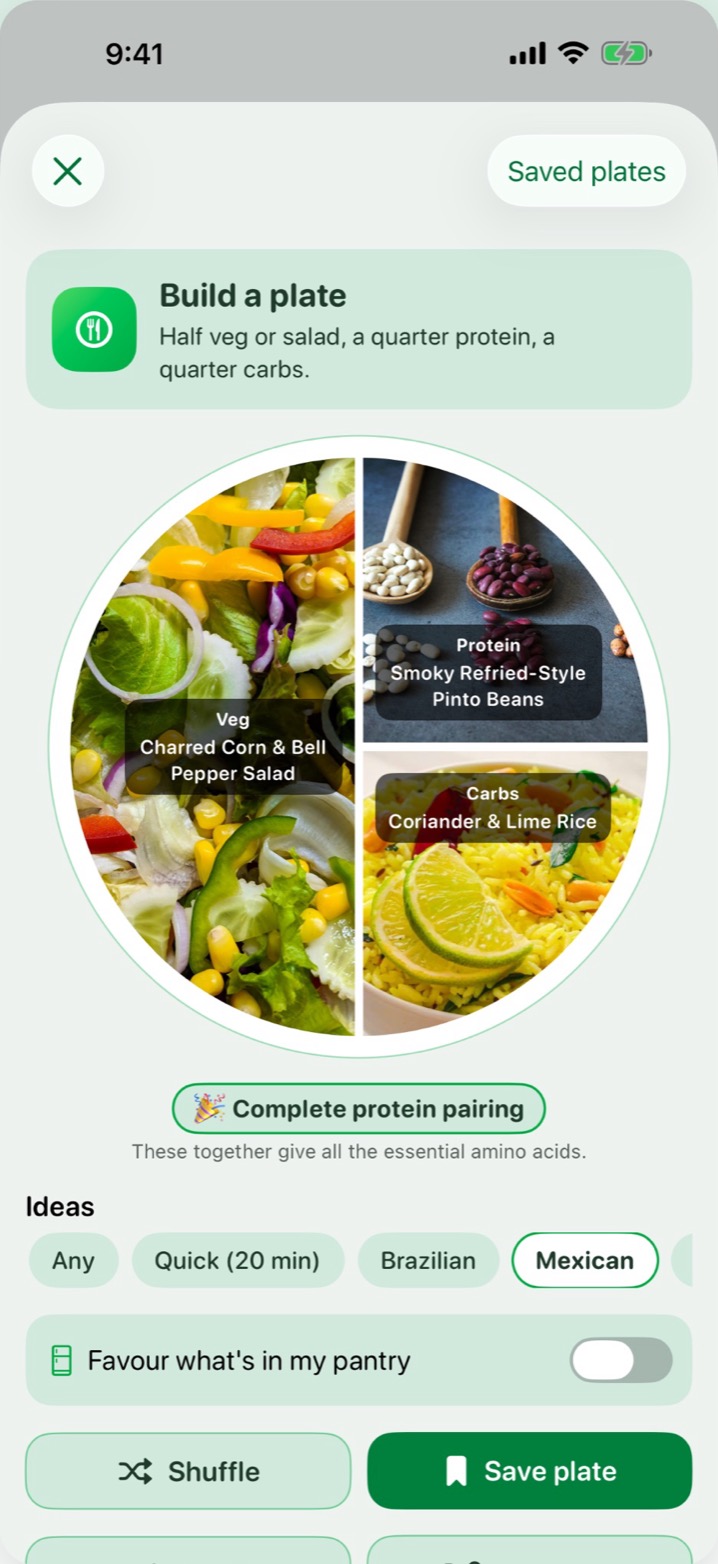
Build a plate in one tap: half veg, a quarter protein, a quarter carbs, from real vegetarian recipes. See the protein in every recipe, plan your week, and get a grocery list of only what you're missing.


VeggieMate,
in motion.
Built for real‑life
vegetarian cooking.
Plan it. Shop it. Cook it. Every recipe is vegetarian and shows its protein, whether you're fully vegetarian, reducing meat, or just trying to get dinner sorted without thinking too hard.
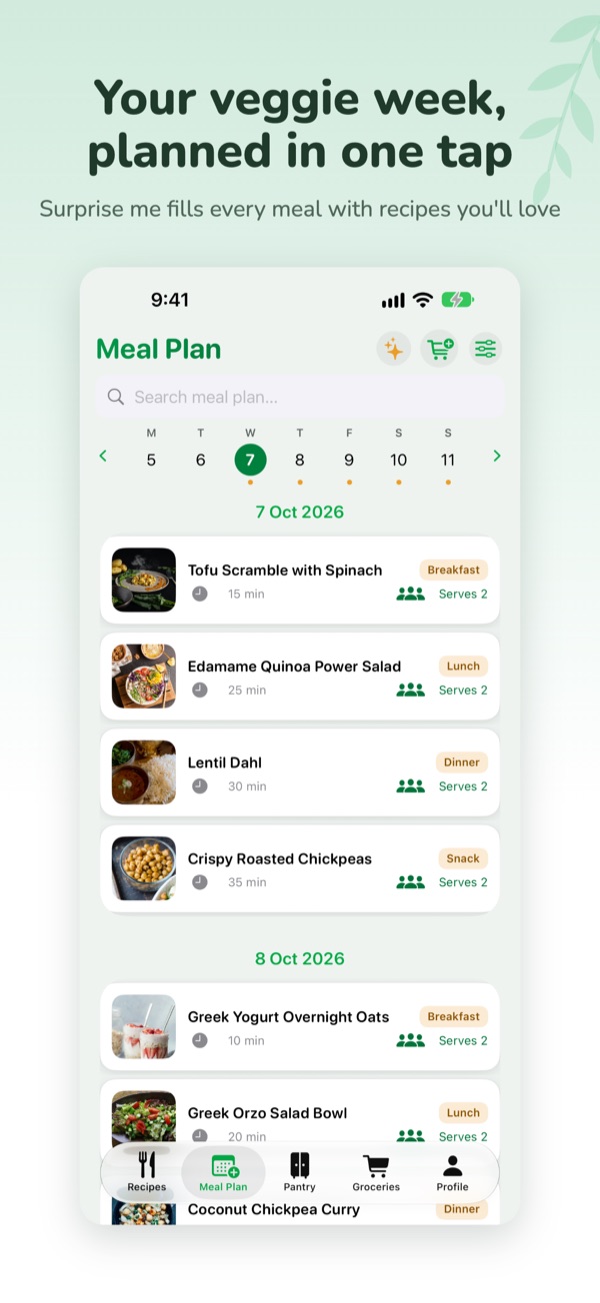
Surprise me
Fill your empty meals in one tap with recipes you'll like. Favourites and what's in your pantry come up more often. Premium (one free try)
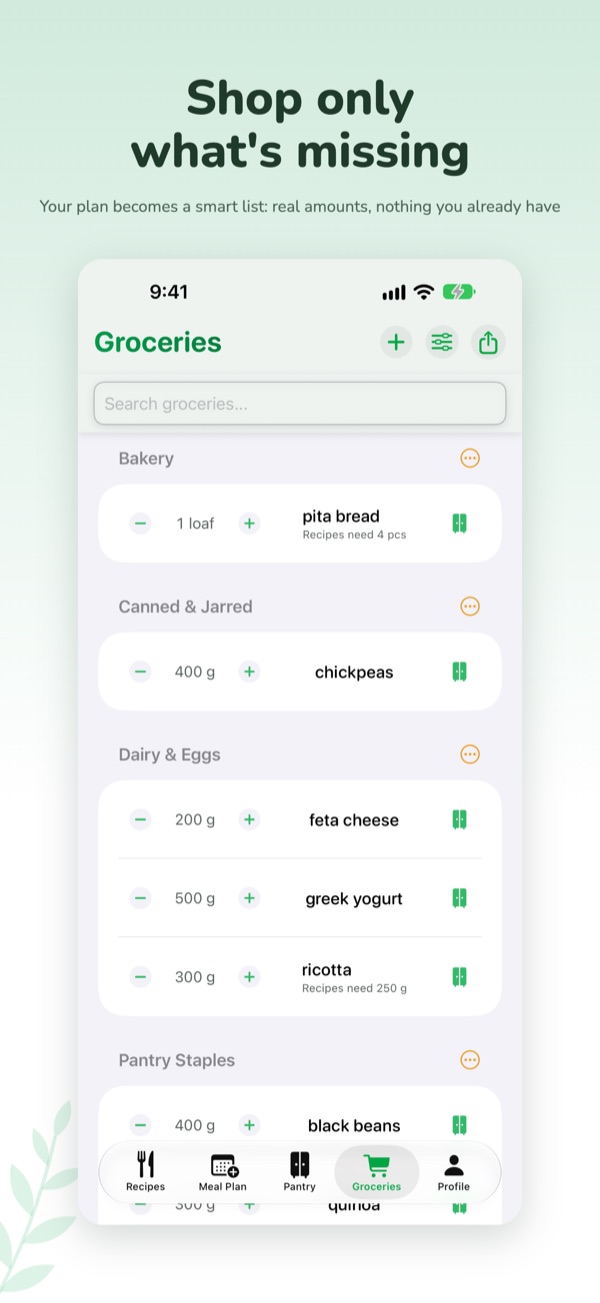
Meal plan to groceries
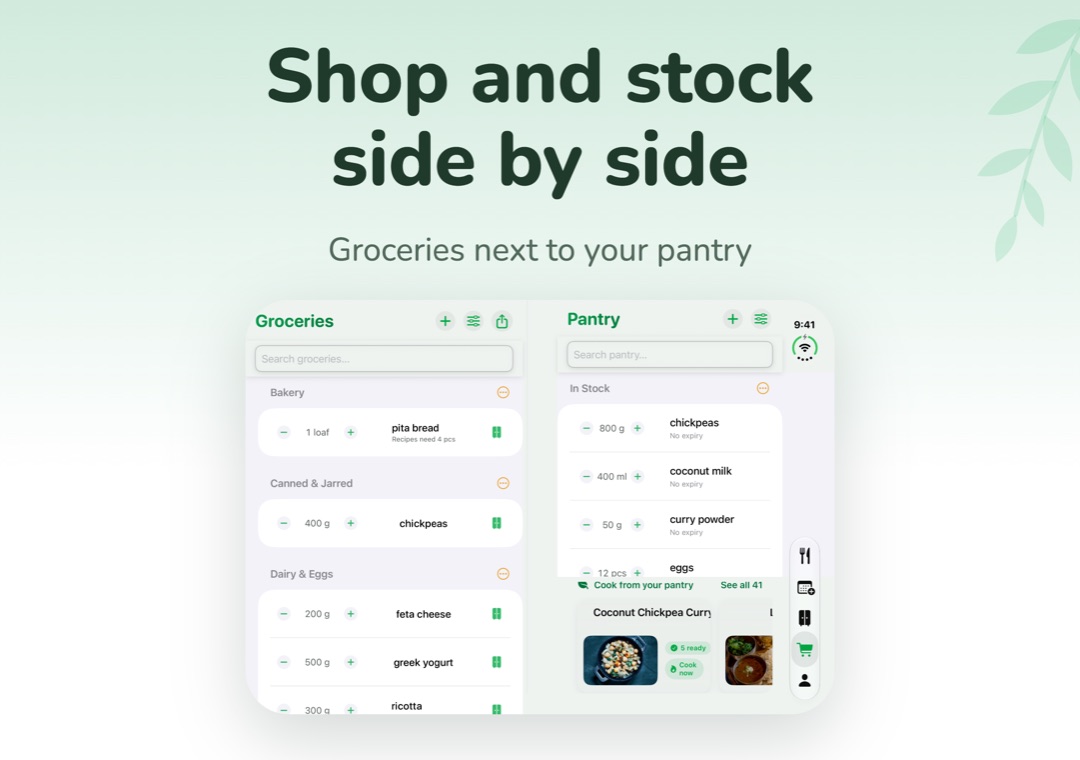
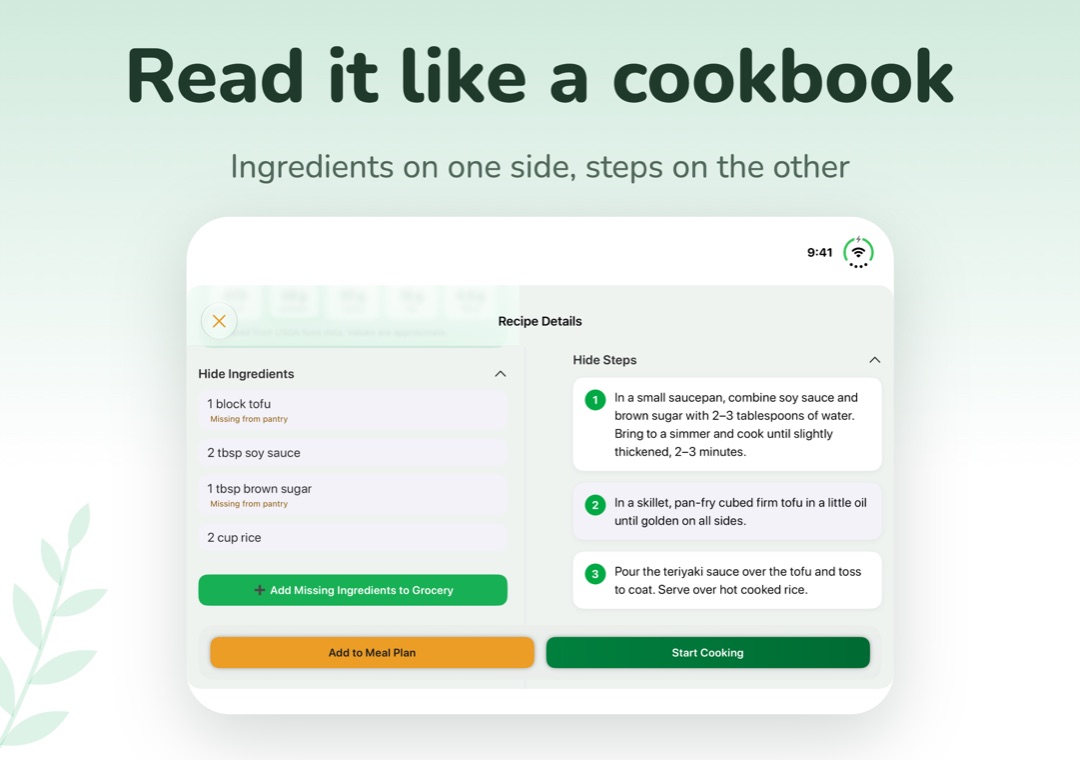
Turn your week into a shopping list of only what you're missing, with amounts you can actually buy and nothing you already have.
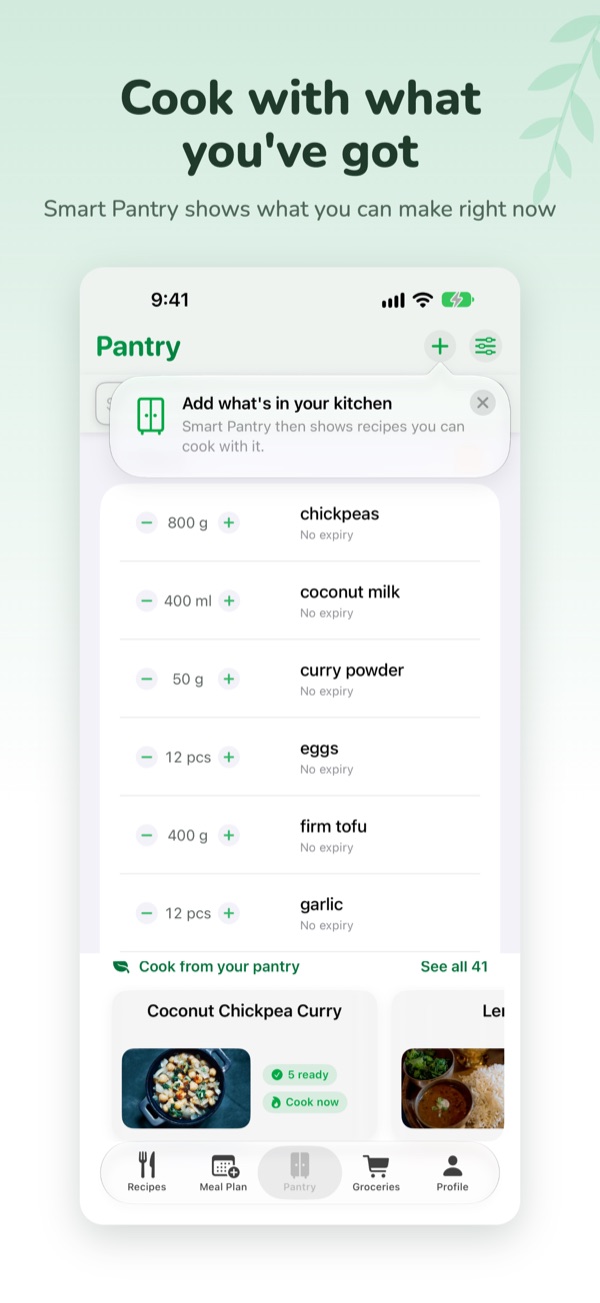
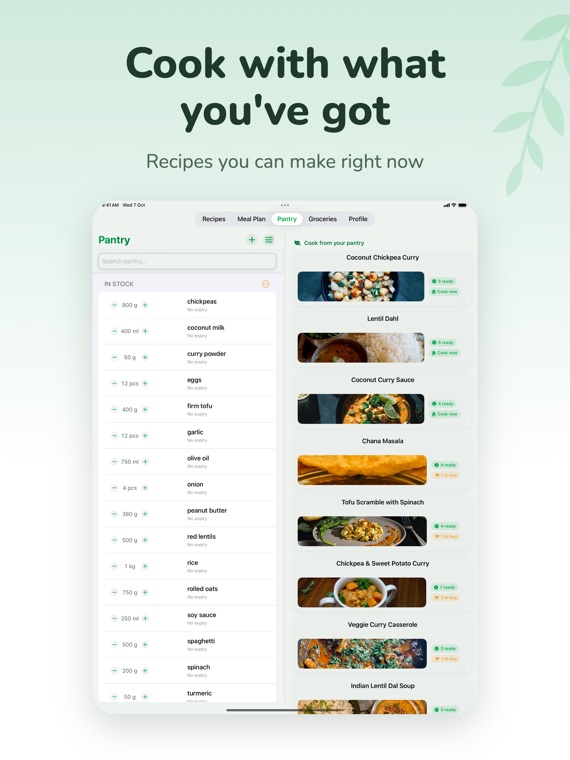
Smart Pantry
See what you can cook right now from what's in your kitchen. Premium shows every match
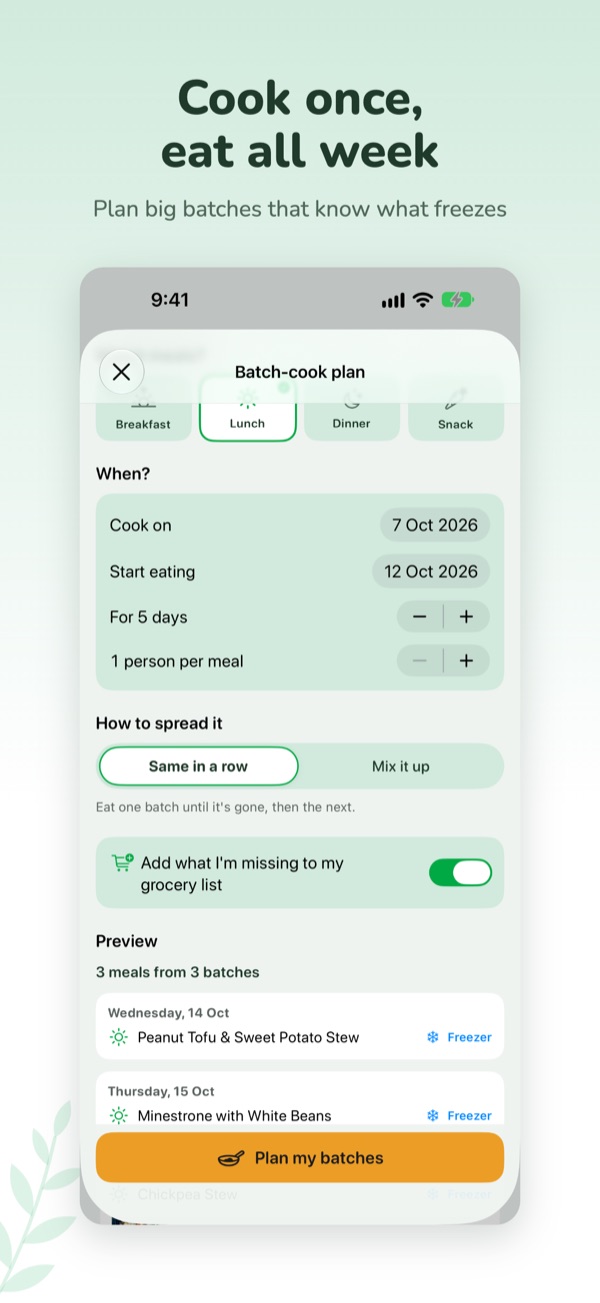
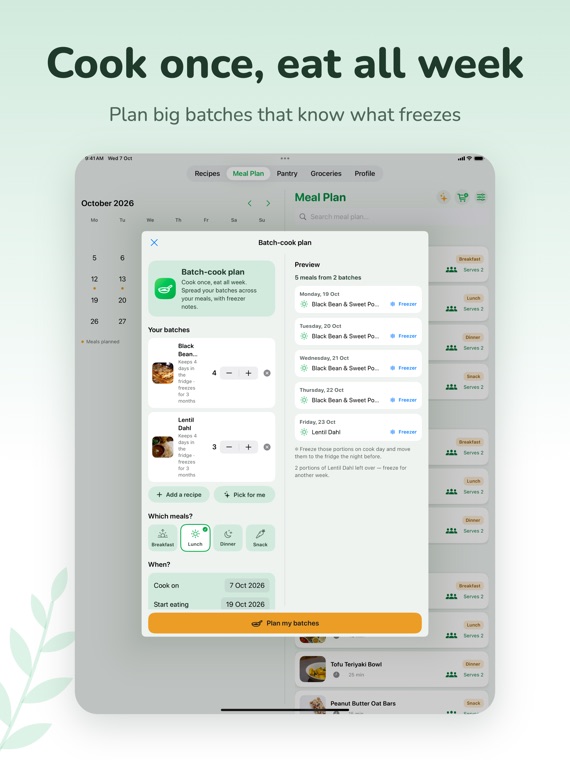
Batch cooking
Plan big batches and spread them across the week, with fridge days and freezer notes. Premium (first plan free)
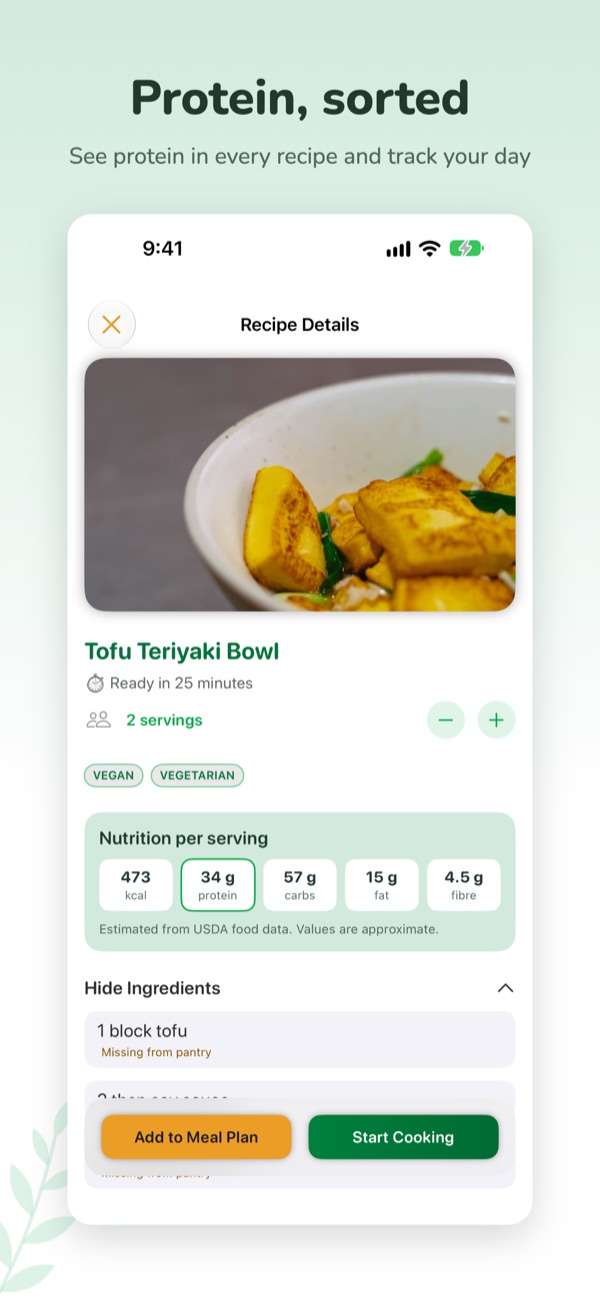
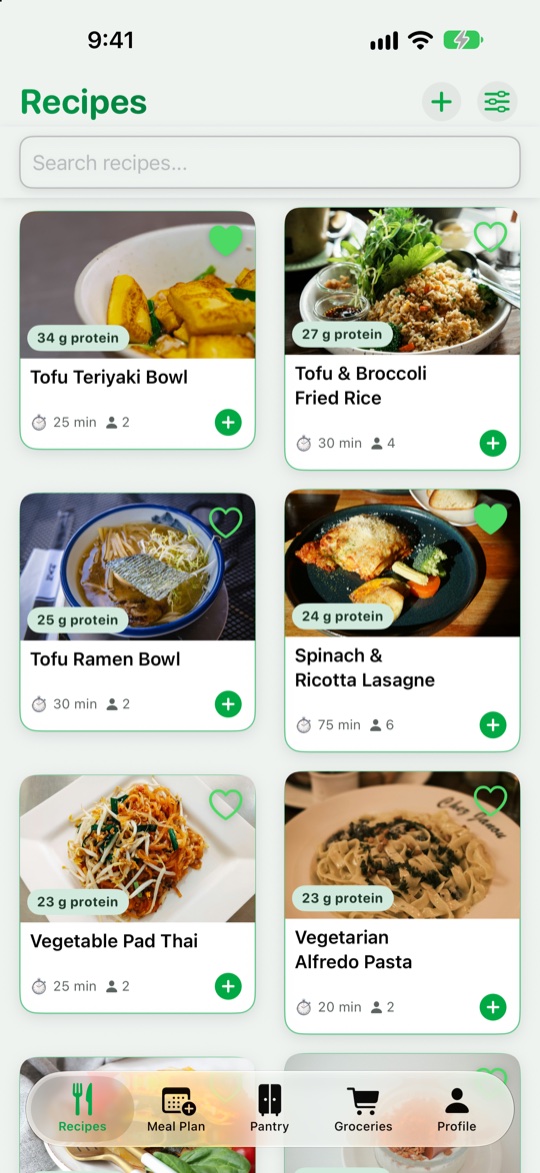
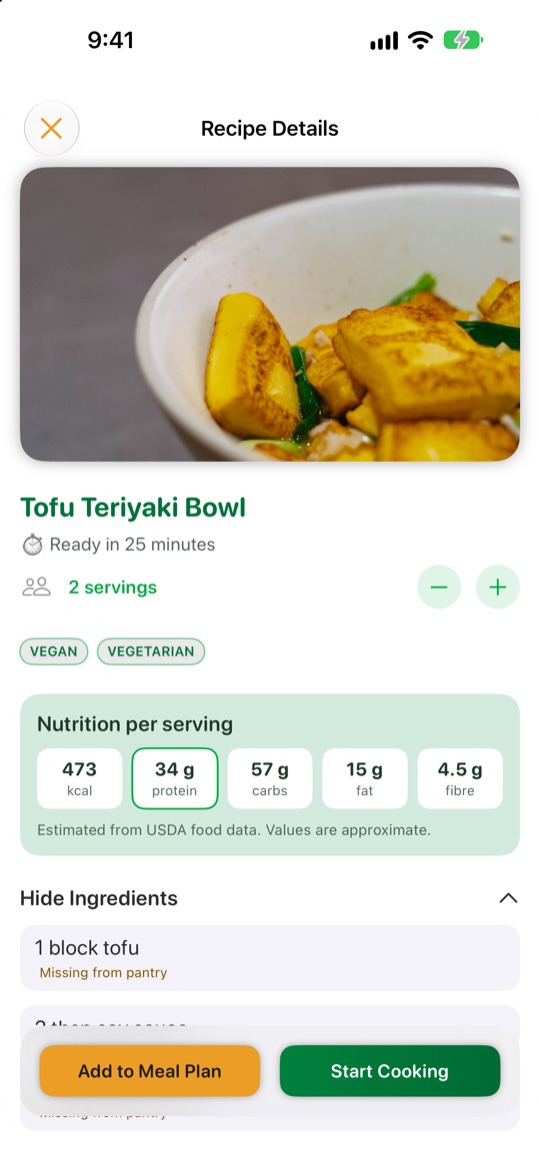
Protein on every recipe
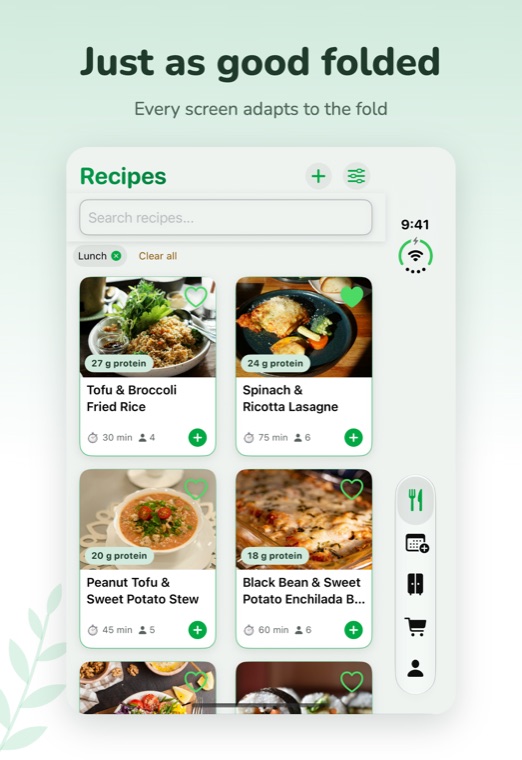
Protein, calories and more per serving, estimated and marked as approximate. Sort and filter by protein, see daily totals and set an optional goal with Premium.
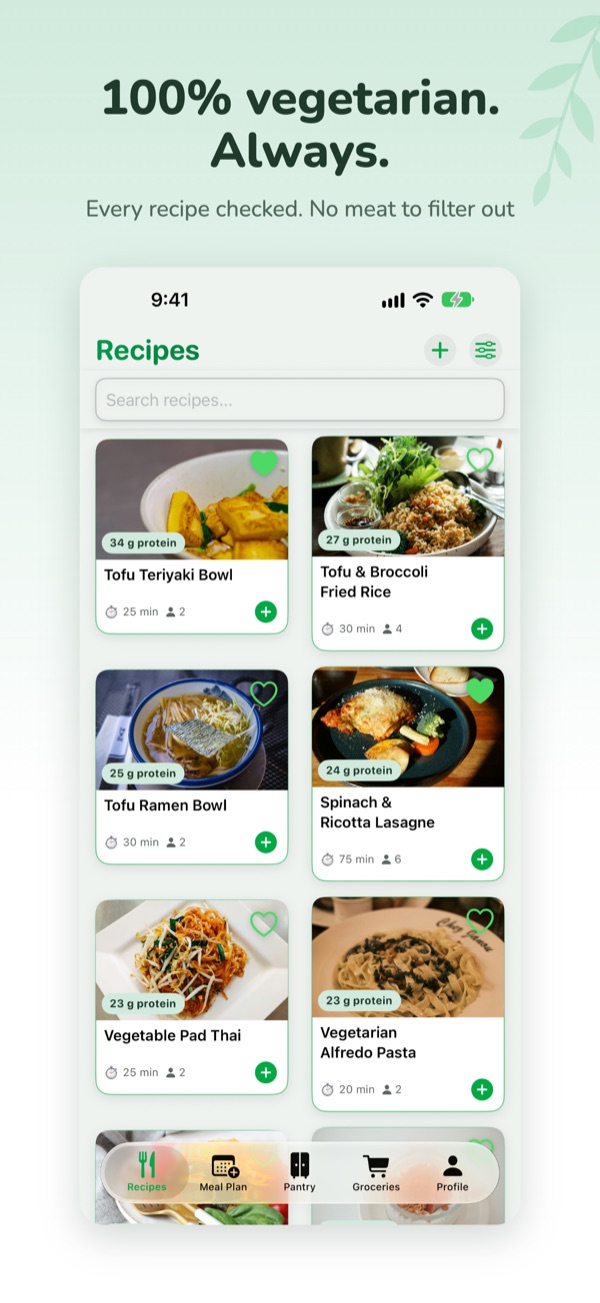
300+ recipes and kitchen basics
Starters for every meal, plus simple guides for eggs, rice, quinoa, fresh pasta and flatbreads. Every recipe is vegetarian.
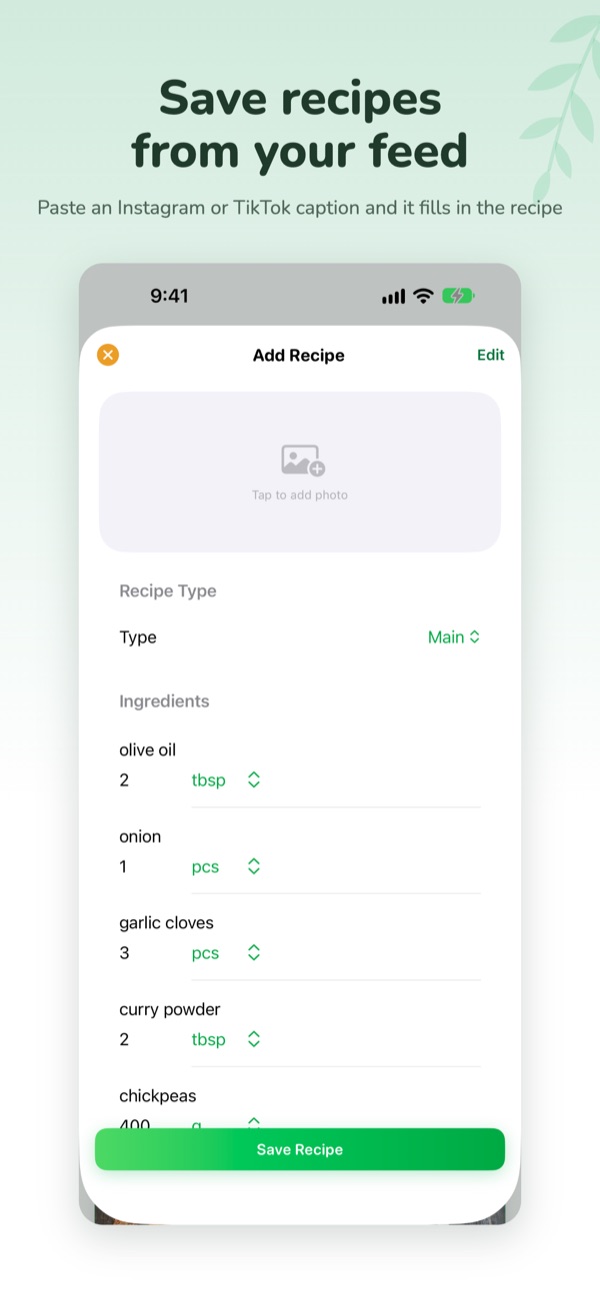
Your own recipes
Type one in, or paste a link or an Instagram or TikTok caption and VeggieMate fills it in. Premium for link and caption import.
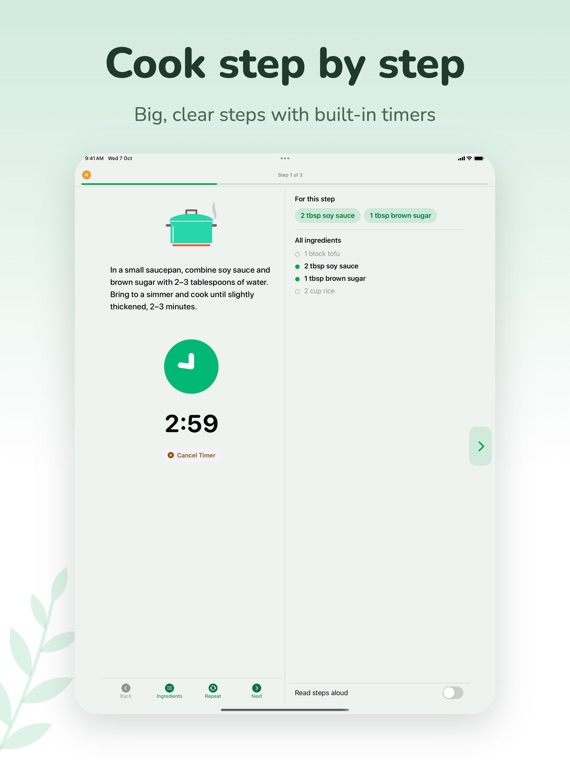
Cooking Mode
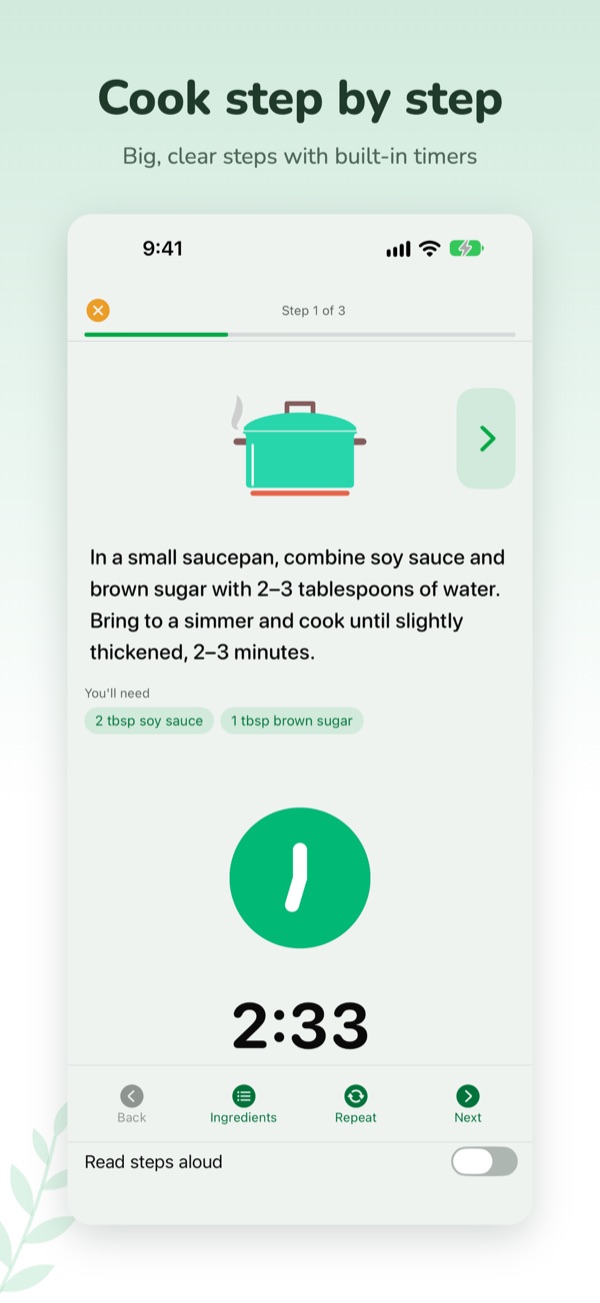
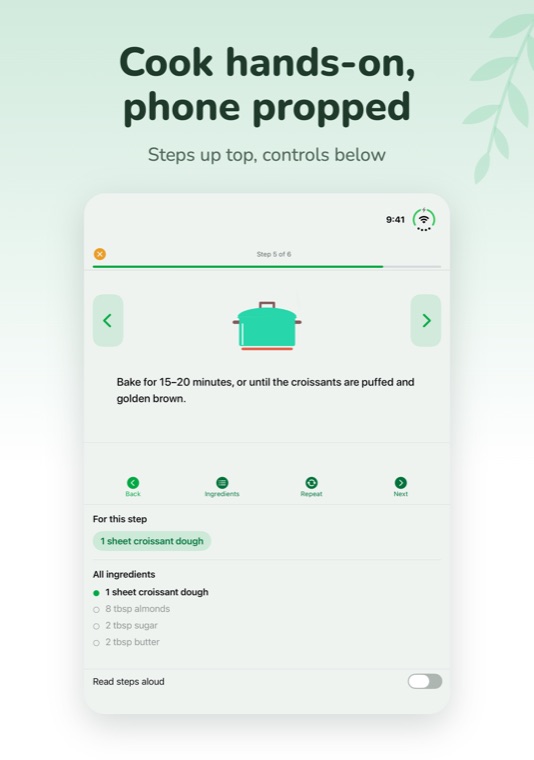
One step at a time with the ingredients each step needs and timers that keep running if you leave the app. Free for everyone.
Backup and sync
Sign in to back your recipes, meal plan, groceries and pantry up and keep them on all your devices. Or save a backup file yourself. Free.
Try it as a guest
No account needed to start. Sign in later to sync and link Premium to your account.
Plate Builder
Build a balanced plate from real recipes: half veg or salad, a quarter protein, a quarter carbs. Shuffle for ideas, see approximate totals, save your favourites, add a whole plate to your plan or groceries. Premium (first plate free)
Shared household
Up to six people share one grocery list and one pantry, so everyone sees what has been bought. Invite people with a link. Meal plans and recipes stay your own.
Scan a barcode
Scan a product to fill in its name and pack size when you add it to your pantry or grocery list, or type the number in. Product data from Open Food Facts. Free.
Filters that fit your table
Filter recipes by vegan, gluten-free, dairy-free, egg-free and nut-free, and by max cooking time. The free-from filters are a guide worked out from the ingredients, so always check labels.
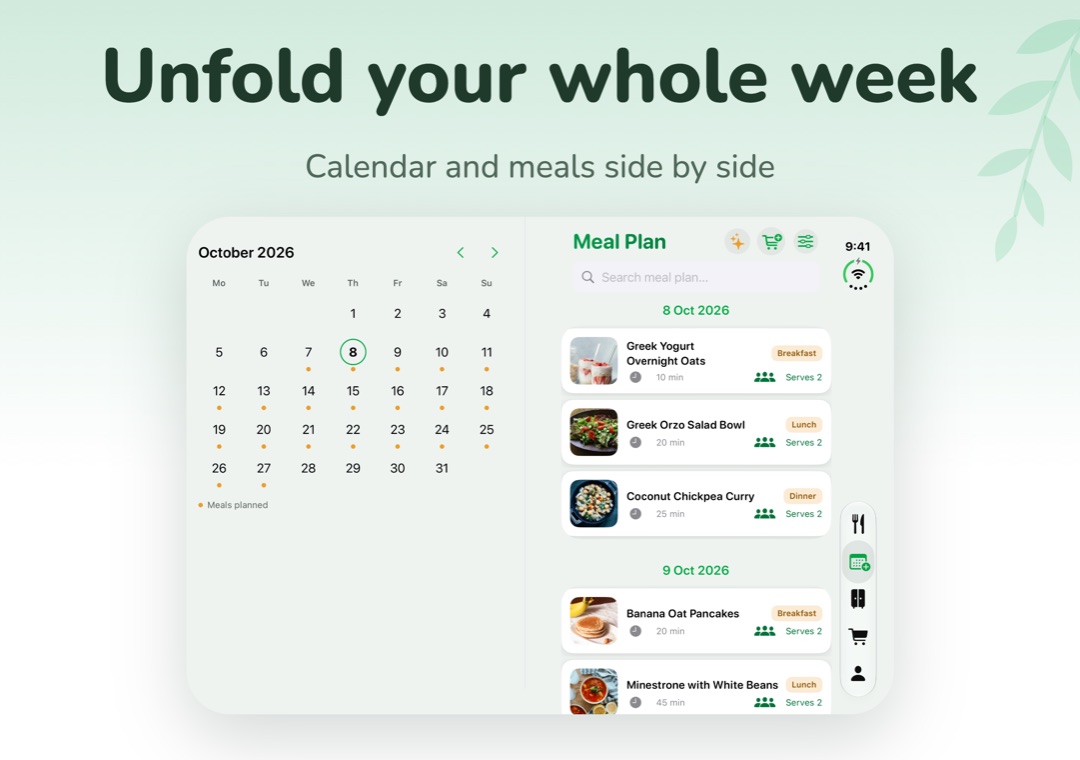
Made for bigger screens
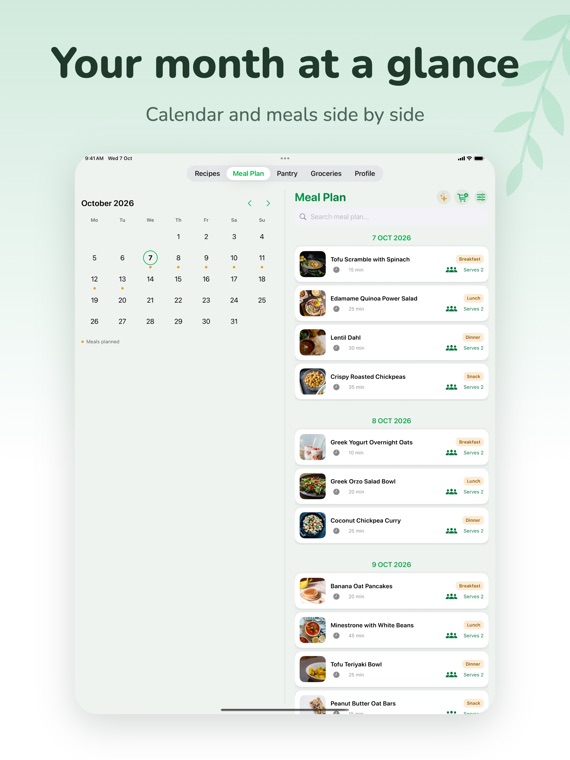
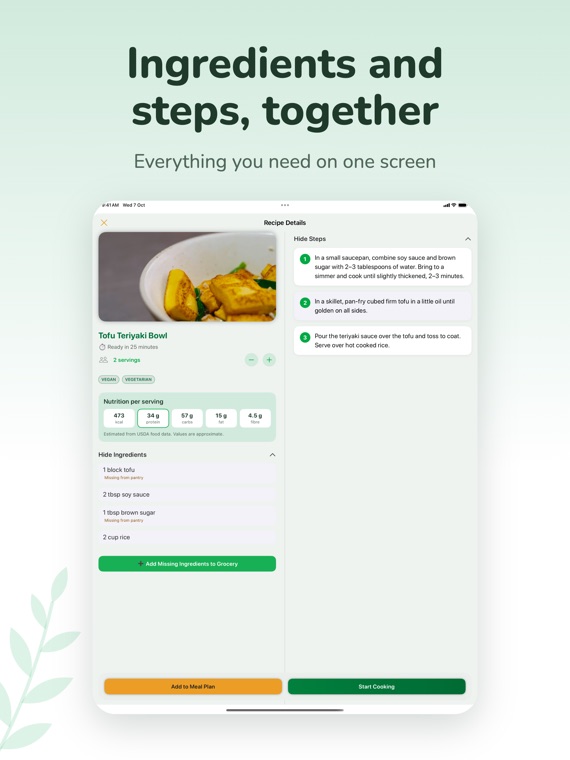
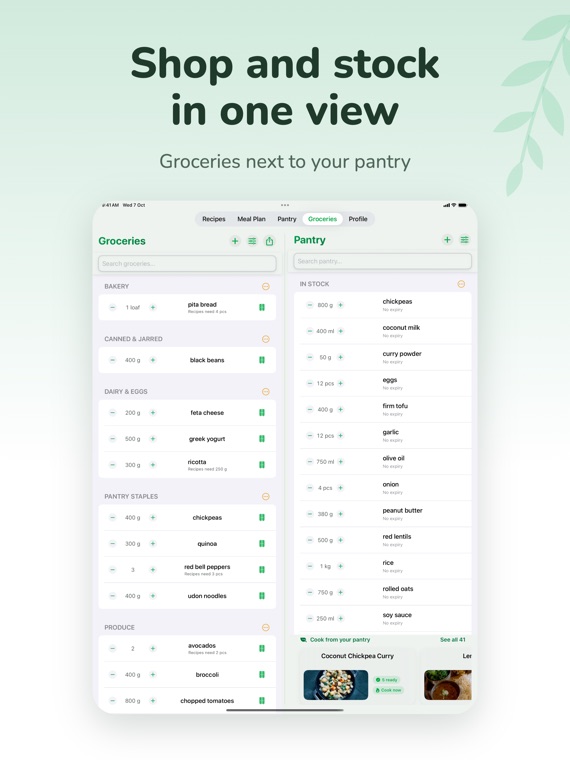
On iPad, iPhone Duo, and Android tablets and foldables, the calendar sits beside your plan, groceries beside your pantry, and the Plate Builder spreads across the fold.
Inside
VeggieMate.
Made for tablets
and foldables.
Eat better,
with less effort.
VeggieMate helps you eat better with less effort — whether you're fully vegetarian, reducing meat, or just trying to get dinner sorted without thinking too hard.
Quick recipes that match your energy level.
A calm design built to be used with one hand.
Questions or
feedback?
Dinner should work for everyone.
A cooking app gets used with floury hands, tired eyes, big text, screen readers and one thumb. I want VeggieMate to be easy to use whoever and however you cook, and I keep working on it with every release.
- Text that grows. VeggieMate follows your text size setting, including the largest accessibility sizes. Lists and headers stack instead of cutting words off.
- Works with your screen reader. Buttons, chips, recipe cards and even the Plate Builder's plate have clear labels for VoiceOver on iPhone and iPad, and TalkBack on Android. Each part of the plate is its own button, with actions to lock, pin or clear it.
- Easier to read. I have been deepening the greens and oranges behind white text so it is easier to read, and I am still working through the rest.
- Easier to tap. Chips, cards and buttons are sized to be comfortable to hit.
- Calm when you ask for it. If you turn on Reduce Motion, animations settle down. Cooking sounds and feedback can be switched off in Profile.
It is not perfect yet, and you know what works for you better than I do. If something is hard to use, such as a button you can't reach, text that gets cut off, or a screen reader that reads something strangely, please tell me. I read every message and fix what I can, quickly.
Send accessibility feedback →
Easier weeknight
dinners.
Practical guides for planning vegetarian meals and cooking from what you already have.
Browse all Guides